


 จองคิวบริการ
 NR tours
 Youplay
 NR shop
 NR jobs
 facebook th
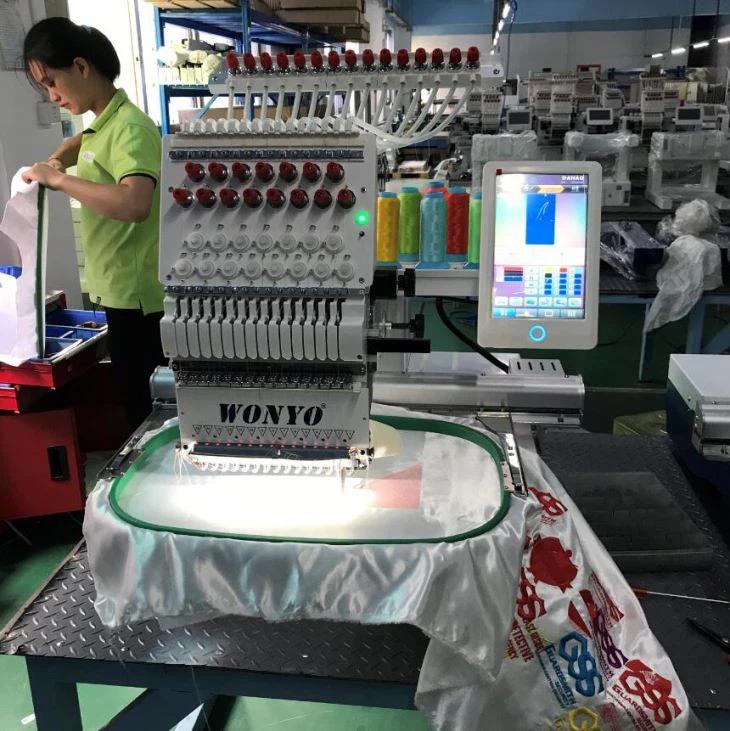
You have a photo that means something to you. Maybe it is your dog striking a ridiculous pose. Maybe it is a snapshot from a family vacation that you want to preserve forever. Maybe it is a landscape that took your breath away. You look at that photo and think, "I want to stitch this onto something." So you load it into your software, hit a few buttons, and let the machine do its thing. Then you step back and stare at the result. It looks nothing like your photo. The colors are wrong, the details are a mess, and the whole thing looks like a tangled blob. I have been there. We have all been there. The problem is that most people make the same handful of mistakes when they try to Convert Photo to Embroidery Pattern. The good news is that every single one of these mistakes is completely avoidable. Let me walk you through the five biggest offenders so you can stop ruining garments and start stitching art.
Mistake 1: Picking the Wrong Photo to Begin With
Your first mistake happens before you even open your software. You fall in love with a photo that looks amazing on your phone screen, and you assume it will translate beautifully to thread. That assumption is often wrong.
Photos with low contrast cause endless problems. If your subject blends into the background, the embroidery machine cannot distinguish between them. You end up with a muddy mess where everything merges together. Photos with busy backgrounds cause the same issue. A photo of your dog standing in front of a plain white wall works great. A photo of your dog running through a field of wildflowers with trees in the background turns into chaos. The machine tries to stitch every leaf, every blade of grass, and every shadow, and the result looks like static on an old television.
Take a hard look at your photo before you commit. Does the subject stand out clearly? Are there distinct areas of light and dark? Can you easily identify the main shapes without squinting? If you hesitate on any of these questions, pick a different photo. You are not giving up. You are setting yourself up for success by choosing an image that actually works with the limitations of embroidery.
Mistake 2: Refusing to Simplify the Image
Here is a truth that hurts. Your embroidery machine cannot stitch every detail in your photo. It cannot stitch individual strands of hair. It cannot stitch the subtle texture of fabric. It cannot stitch the tiny catchlights in someone's eyes. When you try to force it to stitch every detail, the machine does the only thing it can do. It creates thousands of tiny, random stitches that look like noise rather than image.
You must simplify your photo before you ever touch your digitizing software. Open your image in any basic photo editor. Use a posterize filter or a color reduction tool. Drop the color count down to somewhere between eight and fifteen colors. Watch what happens to your image. Smooth gradients break into distinct bands of color. Soft transitions become hard edges. The image starts to look like a stained glass window or a mosaic.
That simplified version is what your embroidery machine can actually handle. It gives you clear boundaries to digitize. It prevents the software from trying to render every single pixel. Do not skip this step. I know it feels like you are losing the beauty of the original photo. But what you are actually doing is translating that beauty into a language that thread can speak.
Mistake 3: Trusting Auto-Digitizing Too Much
Auto-digitizing features promise the world. You click a button, the software looks at your image, and it spits out a stitch file. Magic, right? Wrong. Auto-digitizing is a starting point, not a finished product.
The software has no idea what it is looking at. It sees a dark area and generates stitches. It does not know that dark area is your dog's nose and needs to be a clean, solid shape. It does not know that light area is a reflection in your dog's eye and needs to be a tiny, precise satin stitch. Auto-digitizing treats everything the same way, so everything comes out looking mediocre.
Use auto-digitizing to get your basic shapes and color separations. Then go in manually and fix what the software got wrong. Smooth out jagged edges. Delete stray stitches in background areas. Adjust stitch angles so they follow the natural curves of your subject. Merge tiny shapes that should be one larger shape. This manual cleanup takes time, but it transforms a generic auto-digitized mess into something that actually resembles your photo.
Mistake 4: Guessing on Thread Colors
Your software suggests thread colors based on your photo. You trust those suggestions because the software seems smart. Then you stitch the design and the colors look completely wrong. Skin tones look like mud. Blues look electric. Nothing matches the original photo.
The problem is that screens lie. Your monitor displays colors using light. Thread colors exist in the physical world under natural light. The same digital color that looks like a warm beige on your screen might look like a sickly yellow when stitched on fabric. Software color libraries also vary wildly. A Madeira thread labeled desert sand looks different than an Isacord thread with the same name.
Take control of color selection yourself. Buy a physical thread color card from your preferred thread brand. Hold that card up to your screen while looking at your simplified photo. Choose the colors that actually match under natural light. If you cannot decide between two similar shades, choose the darker one. Dark thread reads better on fabric than light thread does. When in doubt, test your color choices with a small sew-out before committing to the full design. Stitching a tiny color swatch takes five minutes and saves you from ruining a jacket.
Mistake 5: Skipping the Test Sew Entirely
This mistake hurts the most because it is so easily avoidable. You spend hours digitizing your photo pattern. You are excited to see the final result. You load up your good jacket, your expensive bag, or your custom hoodie. You hit start and watch as the design slowly takes shape. Then you notice problems. Puckering around the edges. Colors that clash. Details that disappeared. And now those problems are permanently stitched into your good item.
Never, ever skip the test sew. I do not care how confident you are. I do not care how simple the design looks. I do not care how many times you have digitized similar images. You test on scrap fabric first. Every single time.
Use a piece of fabric similar to your final fabric. Use the same stabilizer. Use the same thread. Sew the design and examine it under good light. Look for any area where the design does not match your vision. Mark those areas with a fabric marker. Go back into your software and fix them. Then test again. Repeat until the test sew looks exactly the way you want it to look.
Testing on scrap fabric takes an extra hour. Ruining a custom jacket costs you the jacket, the thread, the stabilizer, your time, and your sanity. The math is simple. Test first, stitch second.
Conclusion
Converting photos to embroidery patterns takes practice. You will make mistakes. That is how we learn. But these five mistakes are the ones that cause the most heartache, and they are all completely avoidable. Start with the right photo. Simplify before you digitize. Use auto-digitizing as a starting point, not a finish line. Choose your thread colors with physical thread cards, not screen guesses. And test on scrap fabric before you stitch on your good stuff.
Every one of these steps adds time to your process. I know that. But every one of them saves you from the frustration of ruined materials and wasted effort. Your photo embroidery patterns will look better, stitch cleaner, and last longer when you avoid these common traps. Now go find a great photo, pick the right one, simplify it, digitize it carefully, and test it properly. Your machine is ready when you are.

 thai
thai
 English
 French
 Spanish
 Italiano
 Romaian
 Portuguese (Brazil)
 china
china