


 จองคิวบริการ
 NR tours
 Youplay
 NR shop
 NR jobs
 facebook th
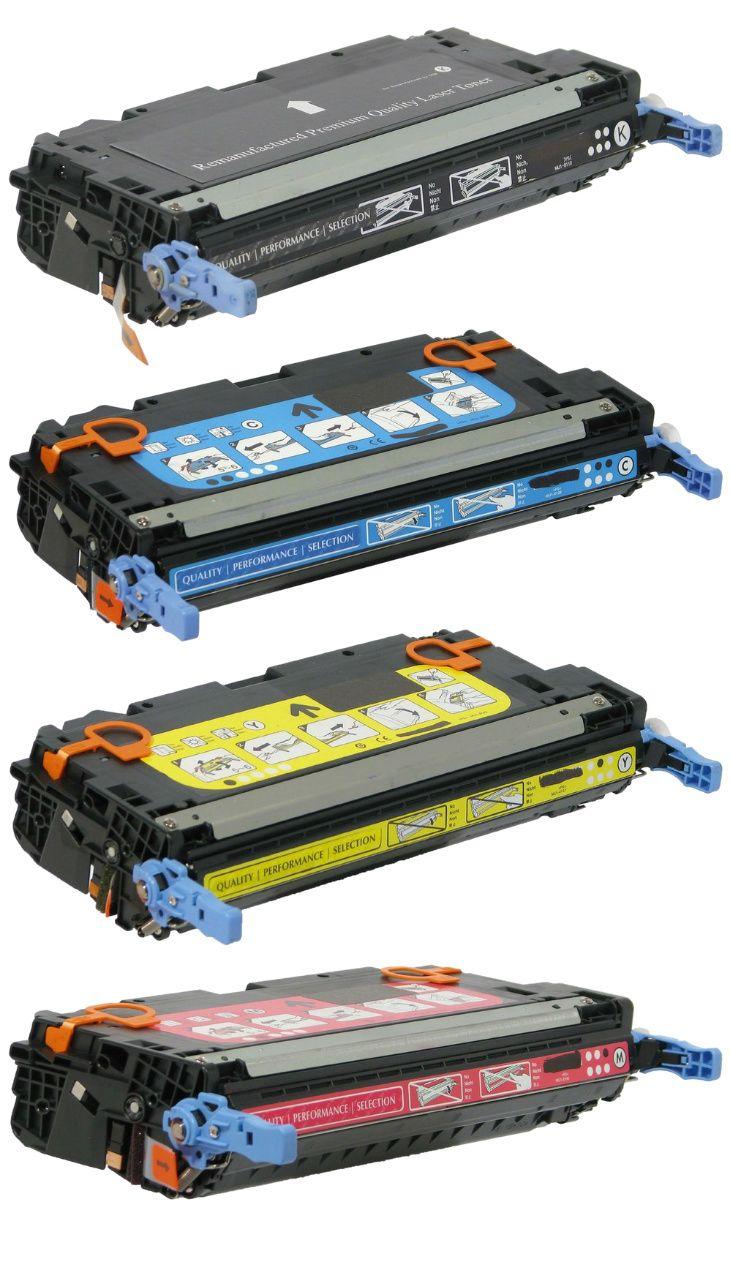
Printing systems in homes and offices depend on a few key internal parts that control image quality and consistency. Two of the most important components are the drum unit and the imaging unit. Many users in Canada face printing issues like faded pages, streaks, or blank prints without knowing the real cause. In most cases, these parts are responsible.
A drum unit works with toner to transfer text and images onto paper. An imaging unit prepares and controls how the image forms before it reaches the page. Both parts directly affect print clarity, speed, and reliability.
Understanding how these parts work helps you choose the right replacements, reduce printer downtime, and improve print quality for daily tasks in offices, schools, and home setups across Canada.
2 What a drum unit does in a printer system
A drum unit is a light-sensitive cylinder inside laser printers. It plays a key role in transferring toner powder onto paper.
Process inside a drum unit
The printer sends an electrical charge to the drum surface
The laser beam draws the image pattern on the drum
Toner particles stick to the charged areas
Paper passes through and collects toner from the drum
Heat and pressure lock the print on the paper
This cycle repeats for every page. Over time, the drum surface wears out because it handles constant friction and electrical exposure.
Common signs of drum wear
Black lines on printed pages
Faded text, even with enough toner
Missing sections in images
Repeated marks at equal spacing on pages
In Canadian offices with high printing volume, drum wear is one of the most common causes of poor output quality.
3 What an imaging unit does and how it differs
The imaging unit controls how the image is formed before printing begins. In many printers, it includes the drum but also contains additional parts like rollers and charge systems.
Main functions of an imaging unit
Creates the electrostatic image pattern
Prepares the toner transfer process
Coordinates timing between the paper and drum
Maintains consistency across pages
Some printer models combine drum and imaging functions in one replaceable cartridge. Others separate them into two parts.
Key difference in simple terms
The drum handles image transfer to paper
The imaging unit prepares and manages the full image creation process
Knowing this difference helps you avoid buying the wrong replacement part, especially when ordering from Canadian suppliers or online stores.
4 Importance of drum and imaging systems in Canadian printing needs
Canada has a strong demand for reliable printing in offices, government departments, education centers, and small businesses. High paper output requires durable internal printer parts.
Common Canadian use cases
Legal offices printing contracts
Schools printing worksheets and reports
Healthcare facilities printing records
Retail stores printing receipts and labels
Remote workers managing home offices
In all these environments, printer downtime can slow down operations. Replacing drum and imaging units at the right time ensures smooth performance.
5 Signs You Need Replacement Parts
Printers usually show clear signals before complete failure.
Visual print issues
Lines running vertically on pages
Light or uneven printing
Smudges across text
Ghost images repeating faintly
Performance issues
The printer takes longer to produce pages
Frequent error messages
Inconsistent output quality
Usage-based replacement timing
Many drum units last between 10000 and 30000 pages, depending on the printer model.
Imaging units may last longer, but still degrade over heavy usage cycles
Businesses in Canada with daily printing workloads often replace these parts on a fixed schedule instead of waiting for failure.
6 How environmental conditions in Canada affect printer parts
Weather conditions in Canada can influence printer performance indirectly.
Dry winter air
Low humidity can affect toner behavior
Static electricity may increase inside devices
Paper may absorb moisture differently
Dust exposure
Office heating systems circulate dust
Dust buildup affects drum surface quality
Cold storage areas
Printers stored in cold rooms may experience condensation when activated
Proper indoor temperature and regular cleaning improve drum and imaging lifespan.
7 Choosing the right replacement for your printer
Selecting the correct part requires attention to printer model compatibility and usage needs.
Key factors to check
Printer brand and model number
Page yield rating
Original or compatible parts
Single unit or combined cartridge system
In Canada, users often prefer reliable suppliers that provide consistent stock and fast delivery due to business demand.
Toner Ink Canada provides printer consumables, including drum units and imaging units suitable for various printer brands used in offices and home setups across the country. This helps reduce downtime and ensures smooth printing operations.
8 Installation process explained in simple steps
Replacing these parts is usually straightforward when done carefully.
Basic replacement flow
Turn off the printer and unplug it
Open the printer cover
Remove the toner cartridge first
Take out the old drum or imaging unit
Insert the new unit in the correct position
Reinstall the toner cartridge
Close the cover and test print
After installation, printers may take a few pages to stabilize print quality.
Common mistakes to avoid
Touching the drum surface with fingers
Forcing the cartridge into the wrong slot
Skipping test print after installation
Using incompatible parts
9 Maintenance tips for a longer lifespan
Proper care extends the life of both drum and imaging units.
Practical maintenance habits
Keep the printer in a clean indoor space
Use quality paper to reduce dust
Avoid frequent power interruptions
Clean internal areas during cartridge change
Print regularly to avoid toner settling
Businesses in Canada with consistent maintenance routines often reduce printing costs over time.
10 Cost considerations in the Canadian market
Prices vary based on printer type, brand, and page yield.
Typical pricing factors
Original manufacturer parts cost more but last longer
Compatible parts offer a lower cost per page
High-yield units reduce replacement frequency
For small businesses and home offices, balancing cost and reliability is important. Many choose suppliers that offer both quality and affordability with fast shipping across Canada.
11 Real-world printing scenarios
Office environment
A marketing agency prints brochures daily. Drum wear causes fading. Replacement restores sharp color output.
Home office setup
A remote worker prints invoices. The imaging unit issue causes streaks. New unit fixes print consistency.
Educational use
A school printer used for assignments shows repeated marks. Drum replacement solves the issue quickly.
These examples show how critical these components are in daily printing.
12 Frequently asked questions
What is the main difference between the drum unit and the imaging unit
The drum transfers toner to paper while the imaging unit prepares the full image process inside the printer system.
How long does a drum unit last in Canadian usage conditions
Most last between 10000 and 30000 printed pages, depending on workload and printer type.
Can I replace only the drum without changing the toner
Yes, in many models. The toner and drum are separate parts in several printers.
Why do streaks appear after replacing toner?
Dirty drum surface or incorrect installation often causes streaks, even with new toner.
Do imaging units work with all printer brands
No. Each printer model requires specific compatible imaging units.
What happens if I delay replacement
Print quality drops. Pages become unclear. The printer may show error messages and reduce performance.
Summary and final thoughts
Drum and imaging systems control the quality and consistency of every printed page. When they wear out, printing becomes unreliable and costly.
Understanding how these parts function helps you avoid downtime, reduce maintenance issues, and extend printer life.
For users and businesses in Canada, choosing the right replacement parts and maintaining them properly ensures smooth printing operations.
Toner Ink Canada provides access to reliable drum and imaging units designed for different printer models, helping users maintain consistent print performance without interruptions.

 English
 French
 Spanish
 Portuguese
 Italiano
 Romaian
 Portuguese (Brazil)
 china
china